Part 2 of 5 - follows on from; Part 1 - What is Mini
We all have a slightly different experience with computing. If you were born during the outset of this millennium, you may remember the birth of mobile phones/computing. As a child you may have been fortunate enough to initially experience computing through the family PC. Possibly a laptop, probably a desktop computer.
My father bought one of the first Apple ][+ desktop computers imported into Australia. Number 3 in-fact, which, as a six year old, was a magical piece of kit. Dad programmed BASIC programs (apps), and used the Visicalc spreadsheet program.
This was my first personal computer, when it became a hand me down. My father’s second PC was an IBM XT. It had a hard disk drive.
The Apple ][ had two external floppy disk drives. When you powered on the Apple ][ , you needed to ensure the floppy disk labelled DOS was in one of the disk drives. This floppy disk contained the Disk Operating System, which was loaded into primary memory (RAM - random access memory). Without an Operating System, loaded into primary memory, from secondary memory (disk drives), a PC was nearly useless to a human.
Thus from the very outset it was ingrained upon us that both the hardware and the software were distinct, revered and when combined, magical.
Dad’s new IBM also ran DOS, although its MS-DOS, also developed by Microsoft, (as was Apple DOS), was loaded into memory from a hard disk drive. Similar to the floppy disk drive, in that a disc of magnetic medium is spun under a read/write head, although different in that the disc was permanently fixed beneath its read/write head. This enabled for greater density of data and faster operations.
Fast, Superfast. Imprecise words for both Computing and MotoringSpeed in computing should use the following terms:– latency. The time it takes for an operation to return results (low latency is best)– throughput. The amount of data returned in a period of time (high throughput is best)Speed in motoring could use the following examples:– fast. The ThrustSSC and a Dodge Viper are fast– quick. The Porsche 911 (when driven well) is quick
Apple ][ +
CPU: 1.023 MHz 8-bit
RAM: 48 KB
storage: 113 KB (per floppy disk)
graphics: monochrome green on black, 40 columns by 24 lines of text
networking: serial card
OS: Applesoft & DOS
IBM XT 286
CPU: 6 MHz 16-bit Intel 80286
RAM: 640 KB
storage: 20 MB (hard disk), 1.2 MB (floppy disk)
graphics: monochrome white/grey on black, 80 columns by 25 lines of text
networking:
OS: MS-DOS
Software I vividly remember included the game, Lemonade Stand. This like most software of the day was text based, one line at a time. If I recall correctly, each ‘afternoon’ the player is presented with a weather forecast, and the current price of lemon and sugar, and the player’s cash balance. You would be asked how much lemon and sugar to buy, which would be converted into cups of lemonade the following day. Wherein the current weather is displayed, and the player either sells his stock or not. The game repeats until the player gets bored.
Another ‘game’ I liked was Flight Simulator by Sublogic. This simulator had an actual graphic representation of a cockpit. Controls were all keyboard based.
The Apple ][ also had a pair of Paddles, which were game controllers on a lead with a dial and a button. You might play Pong, which is a simulator of table tennis with a friend using these Paddles.
Later in secondary school, Computer Studies was offered as an elective subject. By then, teachers were using Apple Macintoshes. The student laboratory was equipped with Apple //e which were networked in a fashion that I cannot recall. The teachers’ Macintoshes, likewise were also connected to a school network.
When my father upgraded his PC to a non-IBM Intel 386 clone with more capable components, he offered me his IBM XT. It was shunned as I was in heaven with my Apple ][, although a few years later I did manage to petition my parents for an Apple ][gs . Some of my classmates had Amigas and Commodore64s. My pitch was that given we were programming on Apple ][, I needed an Apple. What in reality I wanted, was the colour display and the GUI (graphical user interface), with mouse, that the Apple ][gs borrowed from the Apple Macintosh. It was not running Mac OS System 7, and was quite inferior to the Macintosh. But I was terribly spoilt. I could now fly my Cessna in colour.
Programming in BASIC and later in PASCAL we were taught elementary computing. I remember being fascinated when I was exposed to lower level software libraries that could be nudged to draw more interesting shapes than plain old lines of text. This required using the mathematics of trigonometry to draw curves, which pleased my father I believe.
Friends and I also developed a type of hack, wherein we forged a fake login screen, and captured users username/passwords then rebooted the computer. Usually our classmates and older students, but also teachers credentials were compromised. I wrote the code to encode the captured credentials in cipher-text so that if our user volumes were browsed by the teachers, they would not see their names and passwords stored there.
This was one of two school attacks we engaged in. The later was later when the lab had been refurbished with the Macintosh Plus.
A few years earlier, wide area networking entered popular culture, in my mind at least via the film WarGames. Modem devices, connected to the serial ports on PCs would modulate the PCs digital signals into an analogue signal suitable for the telephone network. A modem at the receiving end would demodulate the signal, and a computer-computer connection would be established.
Older PC users with dedicated phone lines would leave the PCs powered on, and run bulletin boards that users could dial-in to, download/upload software and post messages. Amongst other things posted on these bulletin board systems (BBS) were lists of phone numbers for other BBS’s. These were all text based interfaces.
Matthew Broderick’s teenage character likewise was dialling into other people computers, although a few years prior to our experience, his modem was actually an acoustic coupler to which you connected your landline handset directly.
Apple // e
CPU: 1.023 MHz 8-bit
RAM: 64 KB
storage: 113 KB (per floppy disk)
graphics: monochrome green on black, 80 columns by 24 lines of text
networking: Local networking & modem
OS: Applesoft, DOS & ProDOS
expansion:
Apple Macintosh Plus
CPU: 8 MHz 16-bit Motorola 68000
RAM: 1,024 KB
storage: 800 KB (per flexi disk)
graphics: monochrome green on black, 80 columns by 24 lines of text
networking: Local networking
OS: Mac OS System 7
expansion:
My father’s PC, a workhorse for his database development, continued to run the MS-DOS operating system. Sporting an Intel 386 CPU, the computer promised so much more, and was held back by the primitive operating system. My ever keen technology eye had been following the advancement of Microsoft’s graphical user interface, MS Windows. Dad could not really see the point. His beloved Paradox relational database was text based, and kind of awesome thinking back on the matter. I wanted him to experience WYSIWYG word processing.
On a family holiday to the UK, around year 11, I convinced Mum to buy a copy of Microsoft Windows 3.0. Dad had business to attend to and was not with us at the time. The boxed software flew home with me and was installed in due course. MS Windows had to be launched, like any other MS-DOS application, from the command line. The command could be added to the AUTOEXEC.BAT batch file that ran at system boot-up time, but Dad preferred to manually launch Paradox or Microsoft Word when he started his PC, so his experience with graphical user interfaces pretty much waited until Microsoft Windows 95 arrived.
The Internet, as we know it, sort of, arrived in Australia the year after I left school. Universities and some big business had been inter-networking from around 1990, utilising network applications that mirrored the features of BBSs. The File Transfer Protocol (FTP) was used for manipulating files on remote computers. Text based email, terminal services and Usenet news were well and truely taking off, although I certainly knew nothing of it in my school Apple lab.
Inter-networking was the linking of disparate local networks together. Hosts (computers) on one network, with local network addresses could communicate with hosts on other networks by directly addressing their Internet Protocol (IP) address. If the IP address of the host you were trying to connect was not on your IP network, your communication would be routed by your network’s default gateway (router), to the next IP network. Internet Protocol routers are just computers themselves, connected to two or more IP networks, essentially only running the IP packet forwarding network application. Routers maintain lists of IP networks, and the gateways to reach them. Routers cannot keep the entire Internet in memory, so often need to query other routers, to populate their view of the world.
The Internet’s killer network protocol and associated app, was the Hyper Text Transfer Protocol (HTTP) and the Mosaic/Netscape web-browser. Its predecessor was the Gopher protocol, which was kind of an indexing and browsing system of Gopher sites, somewhat analogous to the linked BBSs with their lists of other BBSs. Web-sites, which are computers running HTTP network applications, serve up web-pages on demand. The brilliance of HTTP, was that the human readable network addresses of these web-pages could be hidden, or linked, behind any old text on a page. In fact images too could be linked to other web-pages. Even regions within an image could individually be linked to different web-pages.
What made the Internet go mainstream though, was not web-sites and web-browsers, but search engines that crawled through the web-pages, following every link they found, indexing the content. Some search engines returned gazillions of largely unordered web-page results. Others, such as Yahoo, hired humans to categorise and rank the indexes created. AltaVista, and later, more successfully Google, figured out how to prioritise the search results based on relevance. This initially was determined by ranking results based on the number of other web-pages that linked to a particular page. Along the way search engines, in order to become profitable, started crawling and indexing their users. Google’s dominance now enables them serve search results that shape public narratives, rather than inform their users. I digress.
After school, attending University studying Science, I encountered time share computing. These were the pre-Internet relic Mini Computers universities made available to students and staff through dumb terminals. Dozens if not hundreds of terminals, keyboards and displays, were all connected to a single mini or mainframe computer, sharing CPU time. By the time I encountered these systems, they had been connected to the Internet, and through these Unix systems I experienced electronic mail, and the Bourne Again Shell (BASH) terminal.
Back at home, my PC, now a hand-me-down Intel 386 with a VGA colour display was running games like a champion. I had a 9,600 baud modem, with which I could dial into bulletin boards.
To attain an immersive experience, moving colour graphics were insufficient. What was additionally required was high fidelity digital sound, and this is what introduced me to modifying computers.
Most modern computers, in addition to the standard peripheral components such as a keyboard and later mice, had slots within to expand the capability of the PC. One had to open the case and remove an access cover at the rear, which would enable a peripheral add-on card to be inserted. These interface cards had additional ports on their rear that the external peripherals would then plug into. In my case, the Sound Blaster 16. Stereo 16-bit sound, the same as CD music could be produced in software.
The next hardware improvement I believe I made was by way of the addition of a CD-ROM drive. This sufficiently completed my PC, making it capable of ‘Multimedia’ experiences.
Prior to broadband Internet, and relatively large capacity optical discs, computer software was relegated to distribution by way of 1.44 MB 3 ½ “ floppy disks. This negated the possibility of shipping meaningful quantities of recorded video or audio tracks. Read-only compact discs (CD-ROMs) changed everything.
Boeing 747s Still Use Floppy Disks for Major Software Updates, as do, apparently, ICBMs.https://interestingengineering.com/boeing-747s-still-use-outdated-floppy-disks-for-major-software-updates
Whilst large software packages often came with several to a dozen floppy disks, a single CD-ROM had about 140x the capacity of a floppy disc, with a substantial increase in throughput. The multimedia craze was upon us.
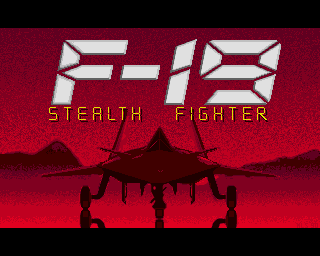
The games I was most interested in were military flight simulators, including; Falcon 3.0, F-15 Strike Eagle II, F-19 Stealth Fighter and JetFighter II: Advanced Tactical Fighter. Various helicopter gunship simulators, including; LHX Attack Chopper, in 1990 on Dad’s first 386, Gunship 2000, Jane’s AH-64D Longbow and later on Comanche 3, which I often played multiplayer with my good friend Simon.
Other games I recall playing a lot included; Command & Conquer, a isometric view realtime strategy game, Wing Commander, a space based flight simulator, Mechwarrior, wherein you pilot a bi-pedal military tank of sorts. And my all time favourite, Red Storm Rising, and submarine warfare simulator.

How to play these games today on Windows and macOS:Using the DOSbox emulator app, one can download these games, craft an AUTOEXEC.BAT if desired, and off you go.https://www.dosbox.comRed Storm Rising via Lemon Amiga
Additionally, the first person shooter was born the year I left school, with Wolfenstein 3D, an underground Nazi prison escape. It was followed pretty quickly the following year by Doom. Quake, its spiritual successor, was the mainstay of LAN parties, along with Total Annihilation, which itself was an improvement on Command & Conquer.
Connecting to the Internet in the mid 1990s required a fast modem, and an account with one of the new emerging Internet Service Providers (ISPs). Just like dialling into some fella’s BBS, except the ISPs modem was connected to a router, with a link to another Internet network beyond. They would share one of their IP addresses with you whilst you were on the call, operate a Domain Name Service (DNS) network application for your computer to resolve web-site domain names to IP addresses, and optionally forward and store email for you to pickup when you connected.
That was all good and well to surf the burgeoning world wide web, but if you wanted to play games, with more than one friend at a time, like you might with a modem, what you needed was a Local Area Network (LAN).
To network a bunch of computers within a room or building, and LAN required cables to be run. WiFi was still a dream in the eye of engineers at Australia’s CSIRO.
Circa 1994 I had dropped out of University to work directly with computers. My first employment was gained by way of my experience installing sound cards and optical disc drives in mine, and my father’s PCs. A little value added reseller, Information Technology Systems, on Sailors Bay Road in Northbridge was selling all things IT mainly to companies, and had struck a deal with an Australian Defence Force members association to supply custom PCs via advertisements in their monthly publication. The firm had secured a deal to buy PCs, Intel 486SX and 486DX models, and would configure and ship according to ordered specifications. Some chose additional primary memory or add-in cards etc.
In addition to configuring the PCs to order, I developed a talent for deciphering the specification sheets of various products and assisted the sales staff with technical matters.
My experience with Dad’s database also came in handy as I identified a tremendous amount of duplicated work that could be automated with a relational database. This was a combined customer, supply and order database that printed reports and shipping dockets.
That job was short lived as the firm took on too much risk and failed due to the flamboyance of one of the two very young company directors.
Moving to a CBD firm, Martin Ridge Associates, that attended to a diverse portfolio of IT service, predominately; Classroom education for word processing and other software suites, Database development for custom workflows, and Systems administration for PC admin and workplace LAN installation and admin. I remain immensely grateful to John Ridge, now Executive Director at the Australian Computer Society Foundation, whom was a kind, patent and encouraging employer.
I commenced working with his partner, Mr Martin’s database team, where we developed custom systems using Microsoft Access.
Quickly I tired of that type of work, a yearned to wander the city with the two young men whom attended to the networks and PCs of businesses throughout the CBD.
Microsoft Windows was only just starting to gain a some traction, with many a machine still doing just fine with the non graphical user interfaces. Being in an office environment they did however often require local area networking, for file serving and printing. This is where I learnt, initially by observation, and later with structured training and reading, about network operating systems and the hardware required to support such systems.
Network operating systems are really just another computer operating system that focuses on network application services. They do not have much in the way of user interfaces and Novell Netware 3.12, the type Martin Ridge Associates installed and supported certainly did not offer a GUI.
Netware 3.12 provided user management, file and print serving. Being the dominant network operating system of the day, and preceding the widespread adoption of Internet Protocol, Netware used Novell’s own network protocols, IPX and SPX. Both of which were supported early on in multiplayer gaming.
If I could just run some cable though our walls, I could connect my PC, with Dad’s and the little PC in Mum’s study, later moved to my sister’s room. I would need network interface cards to install in the PCs, and special tools to terminate the cables on wall plates in each room. Network topologies of the day included token ring, direct cable and star ethernet. An ethernet network was simpler, although required a central hub device, for each computer to connect.
[TBD: HOME ROUTER CACHING DNS]
My father insisted only I be allowed to use his computer when playing multiplayer games with my friends. My younger sister was never home when we played, so we often had three players running games of Command & Conquer that would last hours each. In retrospect my family were very very kind sharing their personal spaces so freely. I would not feel so comfortable these days, although I now know more about the cyber risks of letting even careful people use your machine.
As the years passed, and I neglected to show any sign of moving out, my family grew tired of my mates strung throughout the house, and we found that as PCs were replaced with new ones, my mates would now start to bring their computers over for LAN parties in my room. Total Annihilation, Quake and Comanche 3 were played endlessly.
By now, with my vocational IT experience being supplemented with training, I started to learn more about enterprise grade systems, quality of service networking protocols and most inspirationally, hardware component redundancy. One of the first takeaways from my learnings, was that my PC was not taking advantage of one of the principal features the Intel 386 brought to computing, and that was protected memory.
Computer’s primary memory, RAM, is addressed in such a way, like a phone book perhaps, and programs and their data are stored throughout. Say a word processor application has a file open, for example an essay you’re writing on. The words and paragraphs are all stored somewhere in the phone book. You activate the spell check feature, and the program runs application code that is also in the phone book. If the application is poorly written, as undiscovered software flaws (bugs), or a malicious actor modifies the code, the application, instead of calling its code to spellcheck your essay, calls some other bit of code and writes over the top of, perhaps the operating system software.
CPUs that offer memory protection, can limit areas of RAM to specific applications. When operating systems started supporting this feature, regular PC software crashes became far less frequent, and lost and corrupted files largely became a thing of the past.
Operating system support for protected mode was incomplete initially, with even the MS Windows 3.1 successor Windows 95 did not offer protected mode for the first 1MB of memory. This led me to investigate the alternate operating systems such as IBM’s OS/2, BeOS and Microsoft’s Windows NT.
Microsoft Windows NT, very much an enterprise operating system did not support games particularly well. Perhaps it was the other way around. Games expected to be able to write directly to RAM, sound and graphics cards. Windows NT was always the man in the middle. This did of course mean a slow or buggy application could not clog up your PC. With Windows NT, and Alt-TAB always, immediately swapped the the next running app. On Windows 3.1, forget it. If your foreground wasn’t ready to yield control, you had to wait. Another cool feature of Windows NT was software RAID.
John Ridge took me on a tour of one of two Sydney AMP data-centres, where a technician showed us an equipment rack that was filled with disk drives. These were all bound together like a beehive. I’d been reading about these systems in my Netware course books, one of which I still have to this day. This was a RAID array.
Redundant Array of Inexpensive Disks, when configured properly would not only survive failures of individual disks, but pool their capacity and performance, creating a large, fault tolerant, high throughput storage array from small(ish) cheap(ish) disks. I needed one of these in my PC.
Now sporting an Intel Pentium, I saved up for and bought the minimum number of SCSI disk drives needed for a RAID5 array. The other disk drive interface type common in the mid 1990s was IDE/ATA, later replaced by Serial ATA. IDE/ATA could only ever write to one disk at a time, even if you had up to four installed in your PC, so that wouldn’t fly for my RAID array. SCSI or bust.
Three 9GB Seagate Baracuda drives were sourced, and I was on my way to enterprise at home.
this leads me to why mini, a hyperconverged cluster computer
Part 1 - What is MiniPart 2 - home computing journey (this post)Part 3 - converged clusterPart 4 - not a fifth wheelPart 5 - our Mini computer